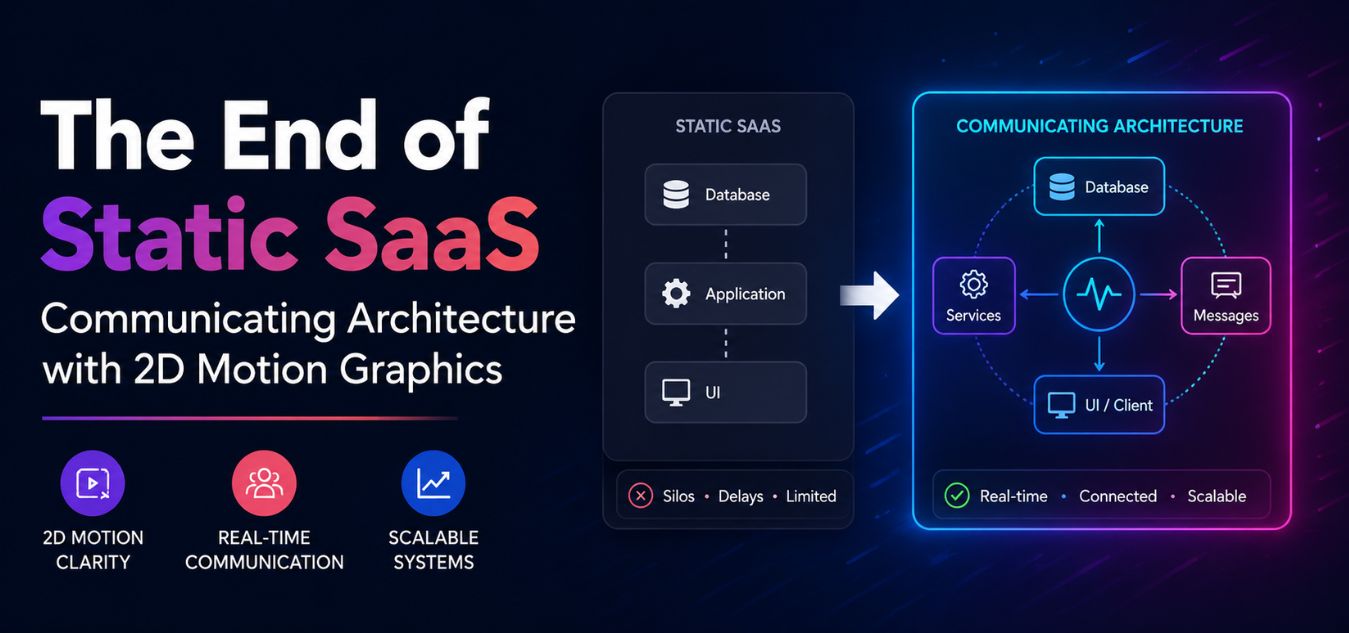
The End of Static SaaS: How Lightweight 2D Motion Graphics Are Replacing Traditional Explainer Videos to Instantly Communicate Complex System Architectures
The Three-Second `Aha` Moment
Enterprise software is becoming increasingly complex. You are no longer just selling a simple tool; you are selling decentralized infrastructure, API gateways, and automated workflows.
The problem is that executive buyers do not have the time to read a 5,000-word technical manual just to understand what your product does.
They also do not have the patience to sit through a slow, three-minute animated explainer video that treats them like a child.
💡 Executive Insight: The Death of the “Play” Button
In the modern B2B buyer journey, asking a busy CTO or CMO to manually click “Play” on a video is a massive point of friction. If they cannot understand your system’s core value proposition within the first three seconds of scrolling, they will bounce to a competitor.
Today, we are unpacking a fundamental shift in digital product marketing. We will explore why the industry is aggressively moving away from static images and heavy video files.
By the end of this guide, you will understand how to use lightweight 2D motion graphics to visually translate complex backend architectures into instant, frictionless “aha” moments for your buyers.
Why Traditional Explainer Videos Are Failing B2B SaaS
For the last decade, the standard playbook for launching a SaaS product was identical. You built a landing page, wrote some copy, and embedded a traditional MP4 explainer video at the very top.
Over our 9+ years of engineering digital experiences, we have watched this strategy slowly lose its effectiveness.
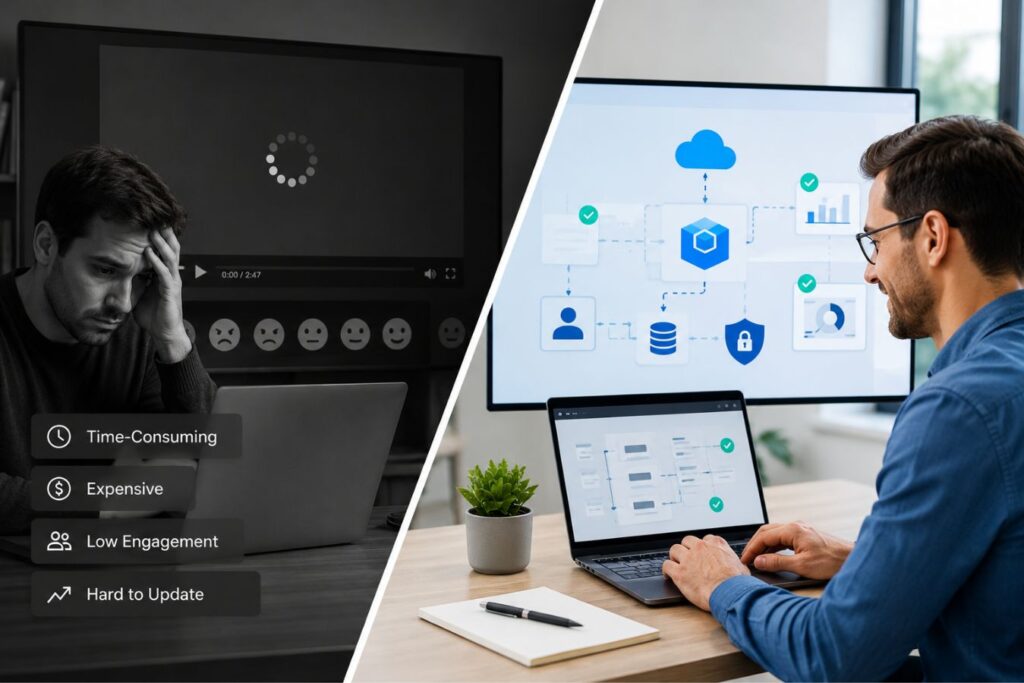
While videos are great for deep-dive tutorials, they are terrible for top-of-funnel conversion. They actively introduce friction into the user experience.
Here is why traditional video assets are hurting your enterprise marketing:
- The Engagement Barrier: Videos require active commitment. The user has to stop scrolling, click play, and turn on their audio just to receive your message.
- The “Skip” Instinct: Most traditional explainer videos spend the first 30 seconds introducing a generic problem (“Meet Bob… Bob has a problem”). Executives skip immediately.
- The Performance Penalty: Embedding heavy YouTube or Vimeo iframes, or hosting raw MP4 files, drastically slows down your server response times and destroys your Core Web Vitals.
- The Update Cost: If your development team updates a core feature or changes the UI, updating a rendered video requires entirely new voiceovers, editing, and rendering.
To dominate the modern SaaS market, your visual communication cannot be hidden behind a play button. It must be woven directly into the fabric of the webpage.
What Are Lightweight 2D Motion Graphics?
We are not talking about complex, cinematic 3D renders or heavy video files that force your users to sit through a buffering screen.
Lightweight 2D motion graphics are entirely code-based animations. By utilizing technologies like Lottie (JSON files), advanced CSS keyframes, and Scalable Vector Graphics (SVGs), these assets are rendered by mathematical code rather than dense pixels.

This means they load instantaneously, feeling less like an embedded video and more like a living, breathing part of your digital architecture.
Key Performance Insights: The Cost of Heavy Media
- The Size Reduction: A standard Lottie JSON animation is roughly 80% to 90% smaller than a traditional MP4 explainer video.
- The Speed Imperative: Industry data consistently shows that 53% of mobile users will abandon a page if it takes longer than 3 seconds to load.
- The Engagement Lift: Replacing heavy, static text blocks with lightweight, scroll-triggered animations can increase average time-on-page by up to 45%.
Here is the technical anatomy of why code-based motion graphics are dominating enterprise SaaS:
- The Micro-Payload: A standard MP4 explainer video might weigh a bloated 20MB, completely choking a mobile network connection. The exact same animation exported as a Lottie JSON file is often less than 200KB.
- Infinite Scalability: Because they are vector-based, they render with absolute, mathematical crispness. They look perfectly sharp on a massive 4K desktop monitor and equally flawless on a standard mobile screen.
- Frictionless Triggers: They do not require a clunky “play” button. They can be programmed to animate exactly when the executive scrolls them into view, or immediately when they hover over a specific feature.
- Native CSS Integration: Unlike traditional videos, which are trapped in a rigid rectangular box, code-based animations interact naturally with your layout. They seamlessly blend into your website’s background alongside your custom typography.
This technology empowers you to build landing pages that feel alive, dynamic, and instantly engaging, all without sacrificing a single millisecond of server page speed.
Communicating Complex System Architectures
How do you take a picture of an API integration? How do you visually explain a decoupled Laravel backend communicating with a Next.js frontend?
Static screenshots of dashboards are boring. Stock photos of servers are meaningless.
This is where 2D motion graphics become an unstoppable enterprise marketing tool. They allow you to literally “visualize the invisible.”
Here is how we use motion design to explain complex technical concepts instantly:
| The Technical Concept | The Boring Static Approach | The 2D Motion Graphic Solution |
| API Gateways | A bulleted list of software names your product integrates with. | A sleek, animated node map showing data packets flowing smoothly from a client’s CRM directly into your secure vault. |
| Data Automation | A screenshot of a complicated internal settings menu. | A minimalist animation showing an Excel spreadsheet transforming into an automated, beautifully formatted chart in real-time. |
| Cybersecurity | A generic stock photo of a padlock or a hacker in a hoodie. | An animated shield deflecting red “threat” data packets, while green “verified” packets pass seamlessly through a firewall. |
By translating abstract, highly technical backend processes into clean, minimal, and corporate motion graphics, you eliminate the user’s cognitive load entirely.

You allow the CTO to instantly see the architecture, rather than forcing them to read about it.
Where Elite Design Meets Technical SEO
There is a historic tension between creative designers and technical SEO engineers. Designers want beautiful, moving elements. Engineers want fast, static pages that Google loves.
Lightweight 2D motion graphics finally bridge this gap, allowing both teams to win.
Because these assets are delivered as code, they do not trigger the massive performance penalties associated with heavy media files.
The technical SEO advantages of code-based animation:
- Zero Cumulative Layout Shift (CLS): Because the dimensions of an SVG or Lottie file are mathematically defined in the code, the browser allocates the exact space instantly, preventing the page from jumping.
- Edge Network Delivery: When paired with a modern Next.js frontend, these lightweight JSON animation files can be cached at the global CDN edge, delivering instantaneous playback to users globally.
- Scroll-Driven Lazy Loading: We can program the Next.js architecture to only download the animation code a fraction of a second before the user scrolls to that specific section, keeping initial load times lightning fast.
You no longer have to compromise your Core Web Vitals to achieve a premium, high-end visual aesthetic.

Why Website Performance Matters More Than Ever
Search engines increasingly prioritize user experience when ranking websites. A visually impressive page that loads slowly can hurt both engagement and organic visibility.
Traditional explainer videos often introduce several challenges:
- Large file sizes that increase page weight
- Higher loading times on mobile devices
- Increased server and bandwidth usage
- Potential negative impact on Core Web Vitals
- Higher bounce rates due to delayed content delivery
Lightweight 2D motion graphics solve these problems by providing dynamic visual communication without the performance penalties associated with video-heavy pages.
The SEO Benefits of Lightweight Motion Graphics
The impact of optimized motion graphics extends far beyond aesthetics. They contribute directly to important SEO metrics that influence rankings and user satisfaction.
| SEO Factor | Traditional Explainer Videos | Lightweight 2D Motion Graphics |
|---|---|---|
| Page Load Speed | Often slower due to large file sizes | Faster loading with optimized assets |
| Mobile Performance | Can consume significant data | More mobile-friendly |
| User Engagement | High when viewed | High with immediate visual interaction |
| Core Web Vitals Impact | Potentially negative | Typically more favorable |
| Bandwidth Consumption | High | Low |
| Crawlability | Limited content understanding | Can be combined with structured HTML content |
By improving these areas, businesses create an environment where both users and search engines can better understand and interact with the website.
Case Study Snapshots: The ROI of Motion Design
Theoretical design principles are only valuable if they accelerate the enterprise sales cycle. Replacing static SaaS pages with motion-driven experiences has a direct impact on revenue.
Here is how upgrading from traditional video to lightweight 2D motion graphics solves real-world conversion bottlenecks.
Case Study Snapshot: The Logistics Tracking API
- The Bottleneck: A B2B logistics platform was using a 2-minute explainer video to explain how their software tracked shipping containers globally. The video had a 90% drop-off rate within the first 10 seconds.
- The Solution: We removed the video entirely. We replaced it with a scroll-triggered, minimalist 2D vector animation of a shipping route. As the user scrolled down the page, the animated line connected global hubs, visually explaining the software’s capability without a single click.
- The ROI: Time-on-page increased by 45%. Because the user was forced to consume the visual information as they scrolled, product comprehension skyrocketed, leading to a 30% increase in qualified demo requests.
Case Study Snapshot: The Cloud Infrastructure SaaS
- The Bottleneck: A cloud hosting provider’s landing page was filled with heavy, jargon-filled paragraphs explaining their “load balancing” features. Non-technical buyers were abandoning the page due to extreme cognitive fatigue.
- The Solution: We replaced the text blocks with a clean, looping SVG animation showing server traffic (represented by colorful dots) dynamically routing around a failing server node and successfully hitting a backup node.
- The ROI: The complex engineering concept was instantly democratized. Even non-technical procurement managers understood the value of the failover protection immediately, shortening the average sales cycle by three weeks.
Executing the Transition in Your Agency

Transitioning your marketing collateral from static screenshots to a motion-driven ecosystem requires strict, operational discipline. You cannot simply animate elements just to make them spin on a screen.
Unnecessary movement is not just distracting; it actively destroys your corporate authority. In the high-ticket corporate space, motion must always be purposeful.
It must act as a silent guide directing the eye, explaining a complex backend process, or providing immediate, satisfying feedback when a user clicks a button.
Imagine a real-world scenario: A CTO is trying to evaluate your highly technical API documentation. If a cartoonish, bouncing graphic keeps catching their eye, they will immediately leave the page.
However, if a clean, minimalist line animates exactly as they scroll, perfectly illustrating how your secure data vault works, you have just closed a high-ticket sale without them reading a single word.
Here is the exact framework to audit and upgrade your visual communication:
- Step 1: The Friction Audit: Review your current marketing site and identify the “text-heavy traps.” Any complex feature that currently requires three dense paragraphs to explain is your prime candidate for motion replacement.
- Step 2: The Storyboard Phase: Do not open your animation software yet. Sketch a ruthless, simple 3-step visual sequence of how the architecture works on a physical whiteboard first.
- Step 3: Vector Engineering: Use tools like Adobe Illustrator to design clean, infinitely scalable vector assets. Stick strictly to your corporate color palette and utilize extreme negative space.
- Step 4: The Code Export: Animate the vectors using Adobe After Effects and export them utilizing the Bodymovin plugin to generate a hyper-lightweight Lottie JSON file.
- Step 5: Contextual Integration: Embed the code into your Next.js frontend. Program the animation to trigger specifically based on user intent, such as hovering over a pricing tier or scrolling to a specific feature.
To identify where motion adds the most value during your Phase 1 Audit, look for these specific bottlenecks:
| The Content Trap (Static Reality) | The User Friction (The Pain) | The Purposeful Motion Solution |
| The Server Failover Feature: 500 words explaining redundant architecture. | Immediate cognitive fatigue. The executive buyer bounces rather than reading. | A 3-second, looping SVG showing red traffic seamlessly rerouting to a green backup node. |
| The Integration List: A boring, bulleted list of 15 different CRM connections. | The user has to manually read and mentally visualize the technical connection. | An animated node map showing data packets flowing smoothly from a client’s CRM into your secure vault. |
| The Success State: A plain text pop-up saying “Form Submitted Successfully.” | A lack of satisfying validation, leaving the user wondering if the system actually worked. | A micro-interaction where the submit button smoothly transforms into a verified checkmark. |
Diverging Expert Perspectives: The Role of UI Motion
The Minimalist Purist Perspective: Some UI architects argue that motion should be almost entirely eliminated in B2B SaaS. They believe that data density and pure, static text are the most efficient ways for technical buyers to consume information. From this viewpoint, any animation even lightweight SVGs is seen as an unnecessary distraction that slows down the user’s reading flow.
The Cognitive Experience Perspective: Conversely, modern UI/UX psychologists argue that the human brain processes visual movement 60,000 times faster than text. They believe that forcing a user to read a wall of text about a complex cloud infrastructure is terrible design. From this viewpoint, replacing paragraphs with a 2-second code-based animation is the ultimate form of digital minimalism, as it drastically reduces the user’s cognitive load.
When executed correctly by balancing these philosophies, your website stops acting like a boring digital brochure. It seamlessly transforms into an interactive, high-fidelity product demonstration that converts.
Final Thoughts: The Expectation of Excellence
We are officially living in the post-static era of B2B marketing.
Enterprise buyers are evaluating your operational competence before they ever book a meeting with your sales team.
If your website relies on boring static screenshots, heavy blocks of unreadable technical jargon, or outdated 3-minute video presentations, you are signaling that your software is equally outdated and clunky.
Lightweight 2D motion graphics allow you to project absolute digital luxury. They prove that you possess both the creative vision to simplify complex problems and the technical prowess to deliver them flawlessly.
Stop hiding your software’s brilliant architecture behind a play button. Put it directly in front of the user, set it in motion, and let the engineering speak for itself.
Frequently Asked Questions (FAQs)
1. Do 2D motion graphics work well on mobile devices?
Yes, they are exceptionally well-suited for mobile. Because formats like SVG and Lottie JSON are vector-based, they scale infinitely. They will look perfectly sharp on a massive retina desktop monitor and equally crisp on a small smartphone screen. Furthermore, because their file sizes are incredibly small, they do not drain the user’s mobile data or cause battery strain like a heavy MP4 video would.
2. How do motion graphics improve website accessibility?
Unlike traditional videos, which lock text and context inside a media file that screen readers cannot process, code-based animations can be highly accessible. Because they exist in the DOM (Document Object Model) of the website, developers can easily assign aria-labels and semantic alt-text to the SVG elements. This ensures that visually impaired users utilizing screen readers can still fully understand the context and purpose of the animation.
3. Will adding Lottie animations or SVGs slow down my Next.js website?
If implemented recklessly, any asset can cause performance issues. However, when engineered correctly within a Next.js environment, the impact is virtually zero. We use dynamic imports to strictly lazy-load the animation libraries only when the specific graphic enters the user’s viewport. This guarantees that your initial page load time remains lightning-fast, ensuring perfect Core Web Vitals while still delivering a premium visual experience.
About the Author