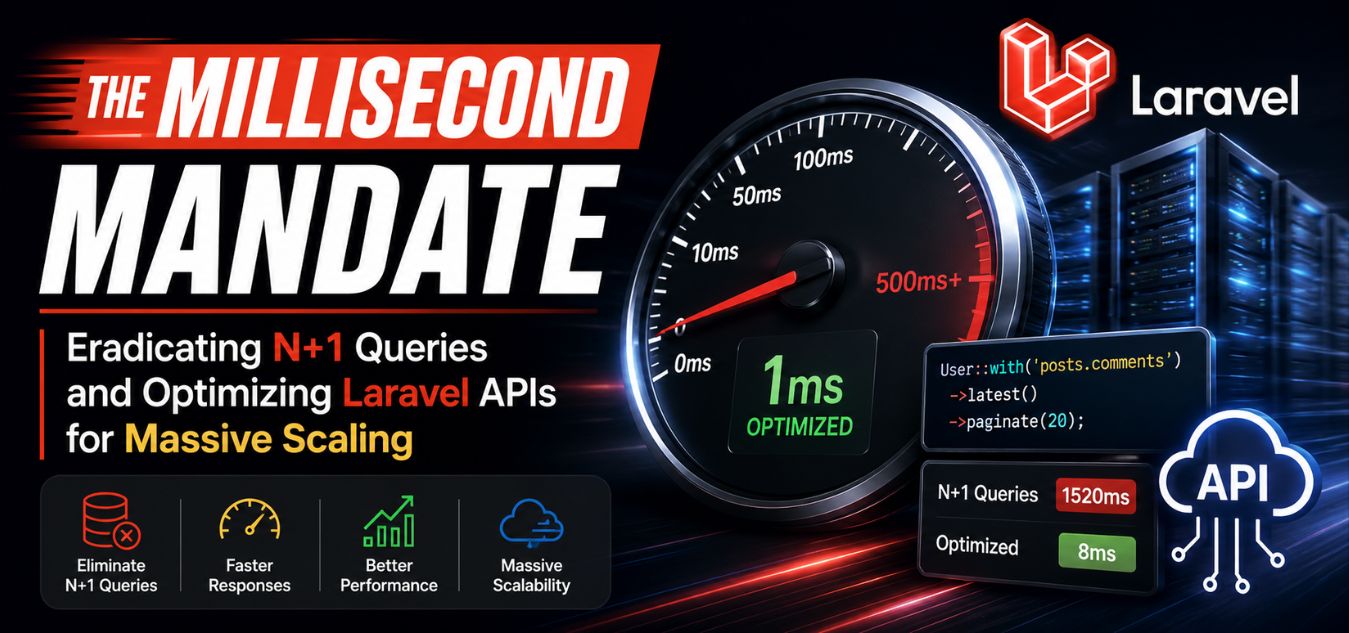
The Millisecond Mandate: Eradicating N+1 Queries and Optimizing Laravel APIs for Massive Scaling
The Performance Trap: Why Beautiful Software Fails Under Pressure
A stunning, minimal user interface is completely useless if your underlying server crashes the moment a marketing campaign goes viral. While early stage startups often rush feature development to secure funding, those initial architectural shortcuts inevitably transform into massive technical liabilities.
In the modern B2B and SaaS economy, API performance is not just an isolated backend metric it is the absolute foundation of user trust and brand retention.
💡 Expert Insight: The Illusion of Local Speed
When a developer builds a feature on their local machine, they are the only person querying the database. Under those isolated conditions, poorly written Laravel Eloquent queries will still execute in milliseconds. The true test of your architecture only occurs when ten thousand users hit your servers simultaneously.
Today, we are breaking down the “Millisecond Mandate.” This is the uncompromising engineering standard required to build resilient, high-performance web applications capable of handling exponential growth.
Here is exactly what we will break down in this guide:
- The N+1 Crisis: How the convenience of modern ORMs silently destroys your database’s capacity.
- The Payload Protocol: How to strip bloated JSON responses to accelerate mobile and web rendering.
- Full-Stack Synergy: Why pairing a highly optimized Laravel backend with a decoupled Next.js frontend is the ultimate enterprise scaling strategy.
To understand why proactive engineering is critical for business growth, look at how technical debt directly impacts your bottom line:
| The Engineering Phase | The Technical Reality | The Direct Business Impact |
| The MVP Build (Flawed) | Rushed feature development utilizing lazy loading and unindexed database tables. | Accumulates heavy technical debt, ensuring the platform will buckle under real-world traffic. |
| The Traffic Surge | Servers max out CPU capacity, causing multi-second API response times and timeouts. | Shatters user momentum, driving high-ticket enterprise clients directly to your competitors. |
| The Millisecond Mandate | Code is strictly engineered for resilience, eager loading, and intelligent Redis caching. | Delivers flawless, instantaneous performance that converts users and secures premium brand equity. |
The N+1 Query Crisis: The Silent Killer of API Scalability

If your web application suddenly grinds to a halt under pressure, your database is almost always the primary culprit. Laravel’s Eloquent Object-Relational Mapper (ORM) is beautifully designed, making it incredibly easy to fetch related data. However, this exact convenience often masks one of the most destructive performance bottlenecks in software engineering: the N+1 query problem.
This invisible bottleneck silently drains your server’s resources. It turns a minor spike in daily active users into a complete system crash. To understand how destructive this is, let’s visualize a backend administrative portal designed to display 50 corporate clients and their assigned account managers.
[ ❌ The Lazy Loading Flaw (N+1) ]
 1. Server asks DB: "Give me the 50 newest corporate clients." (1 Query)
 2. Server loops through Client 1: "Give me the manager for Client 1." (1 Query)
 3. Server loops through Client 2: "Give me the manager for Client 2." (1 Query)
 ... repeats 50 times ...
 └─ Result: The database is hammered with 51 separate queries for a single page.

                ⬇️ The Architectural Shift ⬇️

 [ ✅ The Eager Loading Fix ]
 1. Server asks DB: "Give me the 50 newest corporate clients." (1 Query)
 2. Server asks DB: "Give me the managers for all these 50 clients." (1 Query)
 └─ Result: Exactly 2 queries. The database remains completely stress-free.
Engineering the Fix: Eager Loading in Laravel
The solution is an architectural technique called “Eager Loading.” By simply utilizing Laravel’s with()method, you fundamentally change how your server communicates with your database.
- The Engineering Shift: Instead of letting the application “lazy load” relationships as it loops through data, you instruct the server to fetch all primary data and all related data in bulk beforehand.
- The Technical Result: The database executes exactly two queries instead of fifty-one, regardless of whether there are fifty clients or five thousand on the page.
- The Business Impact: Server load drops dramatically, costly cloud hosting bandwidth is preserved, and the user experiences a lightning-fast, frictionless interface.
Payload Precision: Slashing API Bloat to Accelerate Load Times

A bloated API response is the silent thief of digital speed, particularly for enterprise dashboards handling massive datasets. When developers mistakenly return deeply nested, heavy JSON objects to a frontend that only requires a fraction of that data, the entire application chokes.
To engineer a lightning-fast architecture, you must relentlessly strip away every byte of unnecessary information.
Here is why ruthless payload optimization is an absolute non-negotiable standard for modern platforms:
- The Bandwidth Drain: Sending unused database IDs, creation timestamps, and redundant metadata wastes critical bandwidth and client-side processing power.
- The Multiplier Effect: A seemingly harmless wasted 100KB per request transforms into a catastrophic bottleneck when multiplied by thousands of concurrent users.
- The Mobile Penalty: Heavy payloads exponentially degrade the user experience for executives trying to view your dashboard on slower mobile networks.
Implementing API Resources in Laravel
Laravel provides a brilliant tool for this exact problem: API Resources. Instead of returning raw database models directly to the user, API Resources act as a strict transformation layer. They allow you to define exactly which fields are exposed to the public web.
| Architectural Aspect | The Bloated Approach (The Problem) | The Precision Approach (The Solution) |
| Data Structure | Returning User::all(), exposing every single database column. | Using UserResource, returning only flat, simplified key-value pairs. |
| Data Sent | Everything (passwords hashes, timestamps, internal role IDs). | Only the exact values required by the frontend UI (Name, Email, Status). |
| Payload Weight | Massive (often 100KB+ per request). | Microscopic (often under 5KB per request). |
| Security Impact | High risk of accidentally exposing sensitive backend data. | Zero risk; data is strictly filtered before it ever leaves the server. |
By utilizing API Resources, you guarantee that your frontend application receives exactly what it needs and absolutely nothing more.
Strategic Redis Caching: Bypassing the Database Entirely

Even with perfect code and stripped payloads, forcing your server to recalculate complex analytics every time a user hits refresh is a massive waste of energy. Strategic caching is the ultimate secret weapon for enterprise scalability.
By storing the results of expensive database queries in temporary, lightning-fast memory stores like Redis, you hand the user a saved copy instantly. This entirely bypasses your slow database hard drives, allowing your application to absorb massive traffic spikes effortlessly.
Here is exactly how we deploy Redis to engineer frictionless, high-performance platforms:
- Query Caching: We store the exact results of heavy, complex database calculations (like calculating total monthly revenue) that only need to be updated periodically, saving massive amounts of processing power.
- Session Management: Offloading user authentication sessions from the primary database into Redis drastically accelerates the API validation process for every single click the user makes.
- Cache Invalidation: The true art of caching is knowing exactly when to clear it. We engineer strict event listeners that automatically flush the stale cache the exact millisecond the underlying data is updated.
To understand the real-world business impact of this architecture, consider these deployment scenarios:
Mini Case Snapshot: The Fintech Analytics Dashboard
- The Bottleneck: A B2B financial platform’s main dashboard took 8 seconds to calculate live revenue metrics, causing server timeouts during peak morning login hours.
- The Redis Fix: We implemented 15-minute Query Caching for all top-level analytics.
- The ROI: The primary database was bypassed entirely. Dashboard load times plummeted to 45 milliseconds, instantly eliminating user frustration and reducing server CPU load by 70%.
Mini Case Snapshot: The eCommerce Traffic Surge
- The Bottleneck: A retail client’s database would lock up during holiday sales because thousands of simultaneous users were validating their login sessions at checkout.
- The Redis Fix: We migrated all session management and cart data into Redis memory stores.
- The ROI: API validation became instantaneous. The platform easily handled a 400% surge in traffic with absolutely zero downtime, securing millions in revenue that would have otherwise been lost to a crashed server.
Database Indexing: Organizing Chaos for Instant Retrieval

As your application scales from ten thousand records to ten million, database queries that once took milliseconds suddenly take agonizing seconds.
This performance degradation happens because the server is forced to blindly scan every single row just to find a single match. The architectural solution to this inevitable enterprise scaling bottleneck is ruthless, precise database indexing.
Stop forcing your server to read the whole book. Build an index.
Think of a database index exactly like the index at the back of a massive textbook. Instead of reading thousands of pages to find a specific keyword, your server checks the index, finds the exact location, and jumps straight to the data in milliseconds.
Here is how we engineer your database infrastructure to guarantee instant retrieval under heavy data loads:
- Targeted Column Indexing: We aggressively analyze your slow query logs to identify the exact columns frequently hit by
WHEREclauses, applying strict indexes to permanently eliminate costly full-table scans. - Foreign Key Optimization: Every single relational bridge in your database (e.g.,
user_id,company_id) must be explicitly indexed. This ensures that massive relational queries between different tables execute instantaneously. - Compound Architecture: For complex enterprise dashboards that require users to filter by multiple parameters simultaneously (like Date + Payment Status), we engineer specialized compound indexes designed to satisfy that exact, heavy query pattern.
Frontend-Backend Synergy: The Next.js & Laravel Ecosystem

Scaling an enterprise platform isn’t just about adding more servers; it is fundamentally about how intelligently your frontend and backend systems communicate. Traditional monolithic applications tightly coupled server logic with HTML rendering, meaning a slow database query forced users to stare at a frustrating, blank white screen.
⏸️ If your backend database crashed during a major traffic surge right now, would your users see a gracefully degraded visual interface, or a terrifying, blank “500 Internal Server Error” page?
To guarantee the former, we utilize Laravel purely as a headless, hyper-optimized API, and pair it with a blazing-fast Next.js frontend. Here is how this division of labor creates an unbreakable digital ecosystem:
- The Headless Backend (Laravel): Operates securely behind a firewall, focusing exclusively on processing complex business logic, managing background queues, and delivering raw, lightweight JSON data.
- The Autonomous Frontend (Next.js): Operates independently at the edge, utilizing Server-Side Rendering (SSR) to deliver instant visual layouts while fetching that backend data asynchronously in the background.
- Independent Scalability: If a massive influx of users strains your API, we can allocate precise server power directly to the Laravel backend without ever touching or disrupting the Next.js user interface.
To truly understand why the world’s top tech companies have abandoned monolithic builds, look at how the two architectures handle stress:
| Architecture Model | System Mechanics | The User Experience Impact |
| Monolithic (The Legacy Trap) | Server logic and HTML presentation are permanently locked together. | High friction; a slow backend process completely freezes the visible screen. |
| Decoupled (Next.js + Laravel) | An autonomous frontend independently fetches data from a secure, headless API. | Frictionless; the UI loads instantly, keeping the user engaged while data arrives smoothly. |
When these two specific technologies operate in perfect synergy, the result is a platform that feels truly frictionless.
Visibility and Monitoring: You Cannot Fix What You Cannot See

Architectural excellence is not a destination; it is a continuous, evolving culture within a development team. You should never wait for your users to discover your platform’s breaking point. Professional engineering teams utilize advanced monitoring tools to proactively hunt down bottlenecks before code ever reaches production.
In the Laravel ecosystem, tools like Laravel Telescope and advanced APM (Application Performance Monitoring) software are absolute necessities for high-growth platforms.
- Automated Query Profiling: We utilize local debugging tools to explicitly count the number of database queries executing per page load, instantly flagging any accidental N+1 loops.
- Memory Leak Detection: Monitoring tools track the exact megabytes of RAM consumed by every API request, allowing us to refactor memory-heavy functions.
- Real-World Stress Testing: We blast our staging APIs with thousands of concurrent virtual users to simulate massive traffic spikes, ensuring the architecture holds firm under pressure.
Final Thoughts: Speed is Your Ultimate Feature
Treating your backend architecture as an afterthought is the most expensive mistake a growing business can make. In a crowded digital landscape, your platform’s speed is the invisible metric that dictates your market authority. The Millisecond Mandate is about taking control of your technical infrastructure and demanding absolute performance excellence.
When you invest in a strictly optimized, highly scalable API, you are not just buying better code. You are buying pricing power, investor confidence, and long-term customer loyalty. A clean, minimal, and corporate digital presence must be backed by an engine that never falters.
If your current web application is struggling to keep up with your business growth, or if your database is secretly suffocating under technical debt, we are here to help. We specialize in tearing down technical bottlenecks and building scalable, enterprise grade architecture.
Contact Creative Riz today to schedule a deep-dive technical assessment of your digital platform.
Frequently Asked Questions (FAQs)
1. How do I know if my current application is suffering from the N+1 query problem?
The most common symptom is a platform that runs perfectly fine when there are only a few items on a page, but slows to a crawl when displaying a large directory or list. To confirm this, your development team should install debugging tools like Laravel Telescope, which visually flag and highlight any duplicate, looping database queries on a given page.
2. Is it more cost-effective to upgrade to a larger cloud server or optimize my application’s code?
Optimizing your code is always the superior, more profitable long-term strategy. Upgrading a server to mask poorly written, unoptimized code is incredibly expensive and only delays the inevitable crash. Clean, eager-loaded architecture allows a massive enterprise platform to run efficiently on surprisingly lean, cost-effective infrastructure.
3. What is the main benefit of decoupling a Next.js frontend from a Laravel backend?
Decoupling allows both systems to do what they do best without slowing each other down. Next.js excels at delivering instant, highly interactive, and SEO-optimized user interfaces. Laravel excels at secure data processing and complex routing. Separating them means your users get a lightning-fast visual experience while the backend handles heavy lifting safely out of sight.
About the Author